

Overview
Focused on understanding network footprinting and tracerouting techniques used during reconnaissance and network analysis. The lab involved analyzing packet flow and identifying intermediate routers between source and destination systems across Windows and Linux environments, strengthening foundational knowledge in cybersecurity and ethical hacking.
Methodology
The following steps were performed during this project:
Selected a target domain for testing.
Opened Command Prompt in Windows.
Used the tracert command to trace the network path.
Opened Linux Terminal.
Used the traceroute command to analyze packet routing.
Compared outputs from both operating systems.
Observed hops, routers, latency, and packet travel behavior.
Windows Tracerouting
Step 1: Open Command Prompt
The Command Prompt application was opened in the Windows operating system.
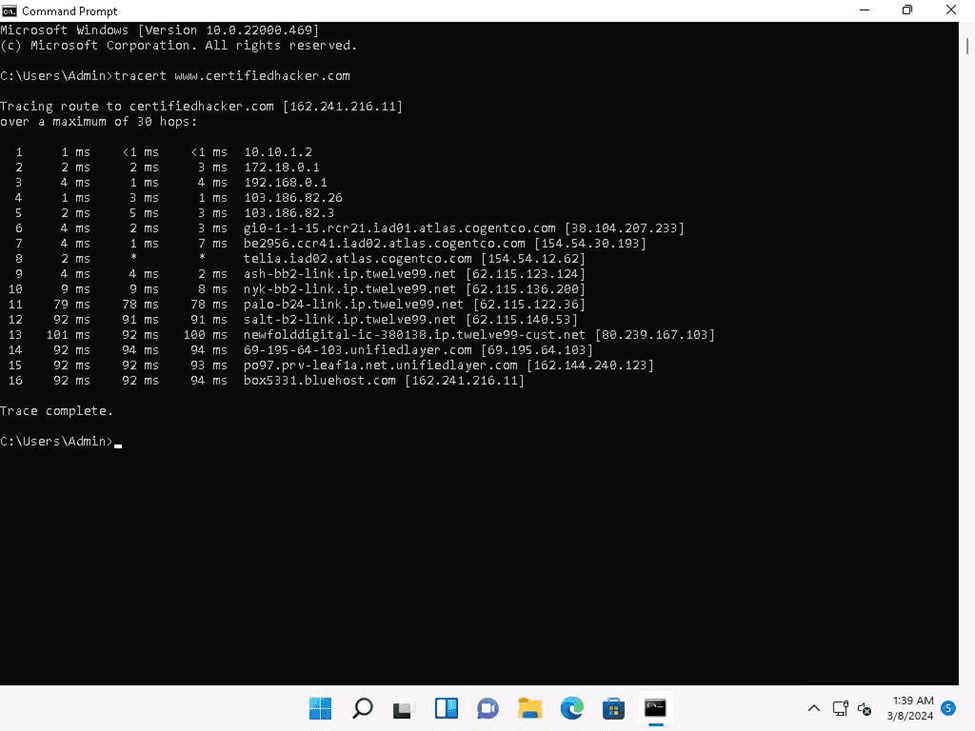
Step 2: Execute the Tracert Command
The following command was executed to trace the route to the target system:
tracert www.certifiedhacker.com
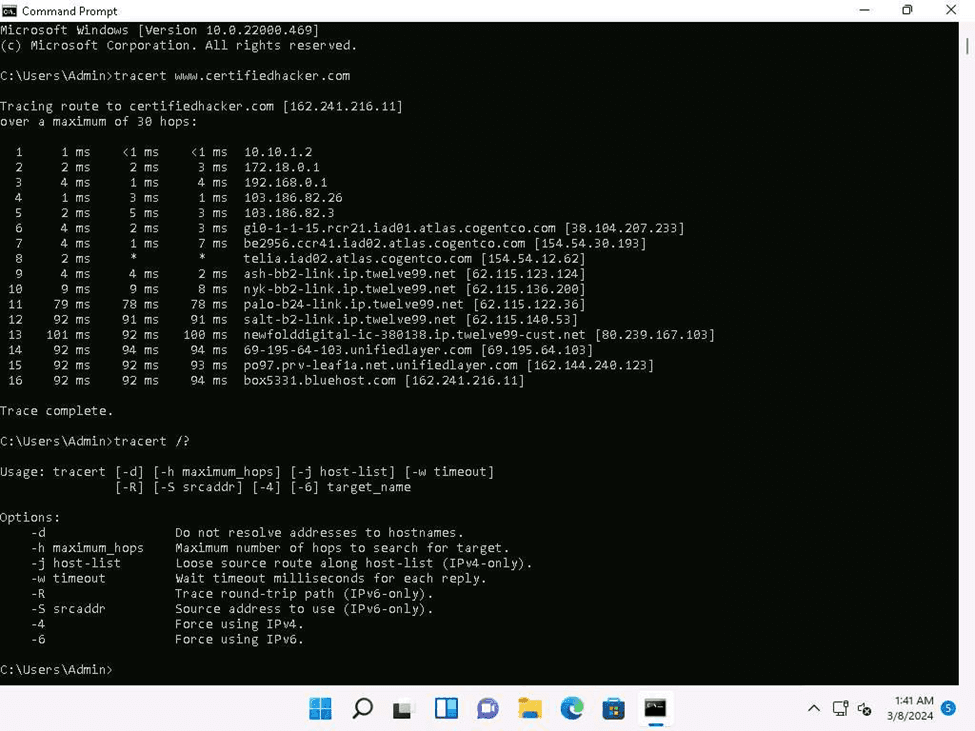
Step 3: Analyze the Output
The output displayed:
Number of hops
Intermediate routers
Round trip time
IP addresses of routers
This information helps in understanding the path taken by packets to reach the destination.
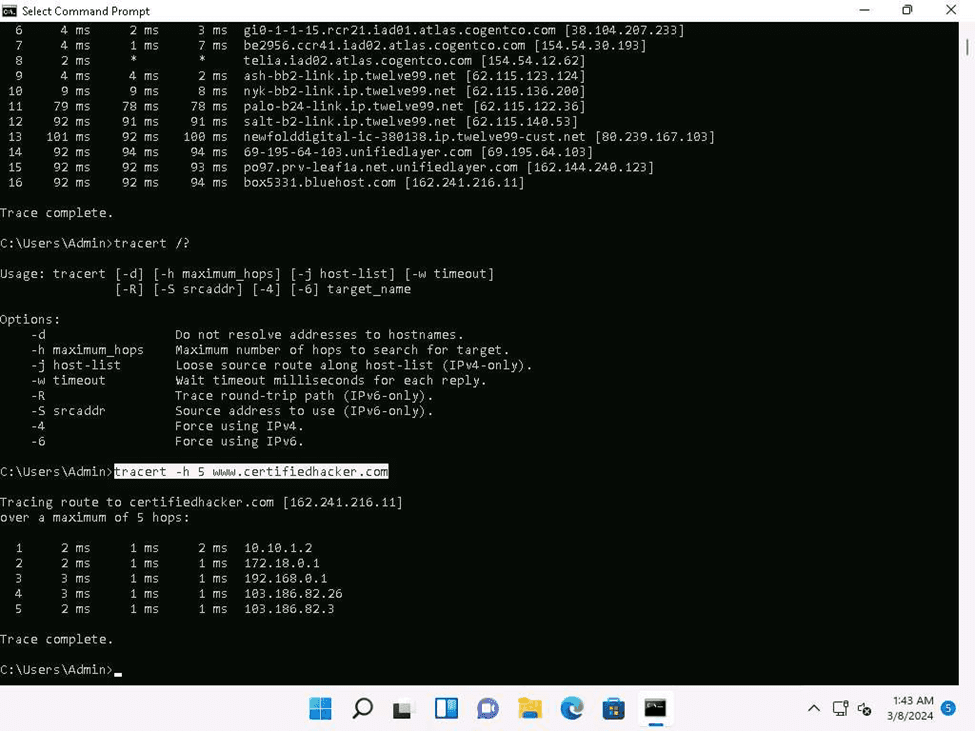
Linux Tracerouting
Step 1: Open Terminal
The Terminal application was opened in the Linux environment.
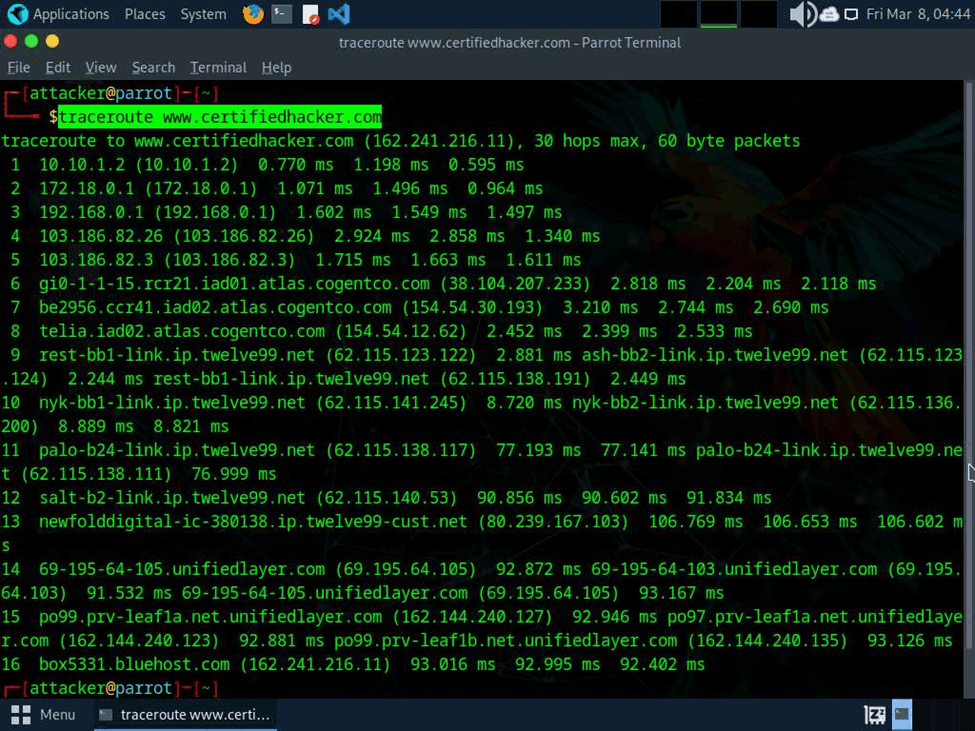
Step 2: Execute the Traceroute Command
The following command was executed:
traceroute www.ceritifiedhacker.com
Step 3: Analyze the Output
The traceroute output displayed:
Router paths
Hop counts
Response time between routers
Destination reachability
This helped in understanding how packets travel through the network infrastructure.
Observations
During the lab activity, tracerouting successfully displayed the route taken by packets from the source machine to the target destination.
The following observations were made:
Multiple intermediate routers were identified.
Response time varied between hops.
Some routers did not respond due to firewall filtering.
Linux and Windows tracerouting commands produced similar results with slight differences in formatting.
TTL values reduced at each hop during packet transmission.
The experiment demonstrated how tracerouting can be used to map network paths and identify network devices
Challenges Faced
Some hops timed out due to firewall restrictions
Network latency caused delays in response
Certain routers did not reveal hostname information
Linux systems required installation of the traceroute package in some cases
Conclusion
This lab improved understanding of network footprinting and tracerouting techniques by analyzing packet routes between source and destination systems in Windows and Linux environments. It also strengthened knowledge of network topology, packet routing, and reconnaissance methods used in ethical hacking and security assessments.
