

Overview
Cybersecurity practice lab focused on log management and track-covering techniques in Windows and Linux environments. The lab explored how attackers manipulate or clear system logs after gaining access and emphasized the importance of auditing, monitoring, and log protection in cybersecurity.
Methodology
The following steps were performed during this project:
Opened Windows system utilities and reviewed event logs.
Used administrative utilities to clear selected logs.
Verified whether logs were successfully removed.
Accessed the Linux environment through the terminal.
Identified log files stored in Linux directories.
Used BASH shell commands to clear log contents.
Observed the effects of log clearing on both systems.
Documented the findings and security implications.
Clearing Windows Machine Logs using Various Utilities
Step 1: Open Event Viewer
The Event Viewer utility was opened to review system, application, and security logs.
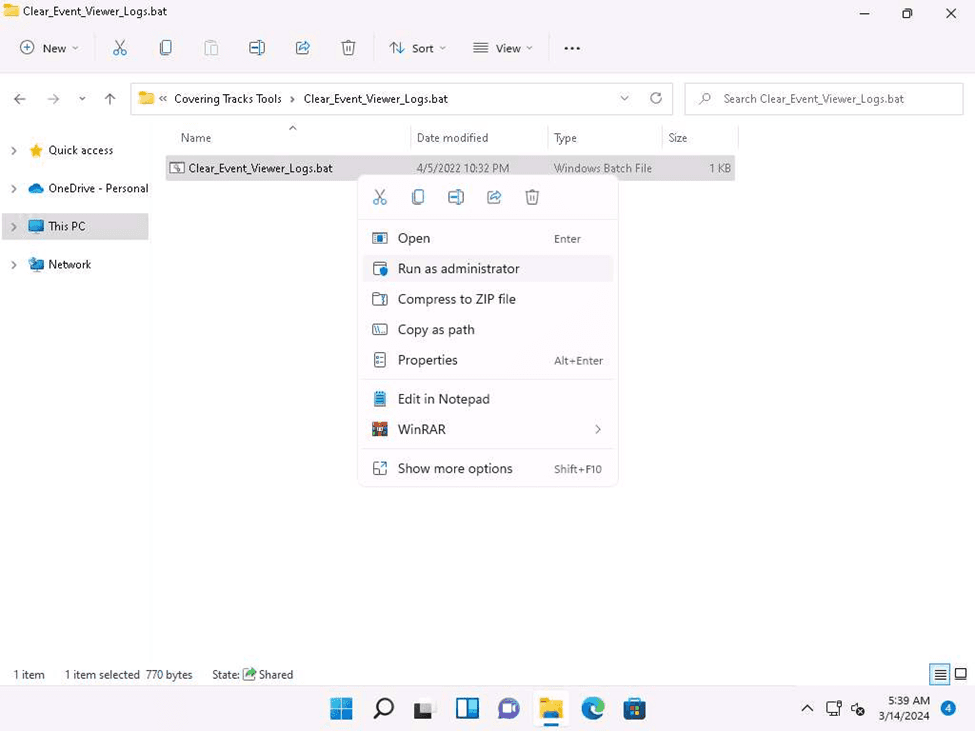
Step 2: Review Existing Logs
The available logs under categories such as:
Application Logs
Security Logs
System Logs
were reviewed before clearing them.
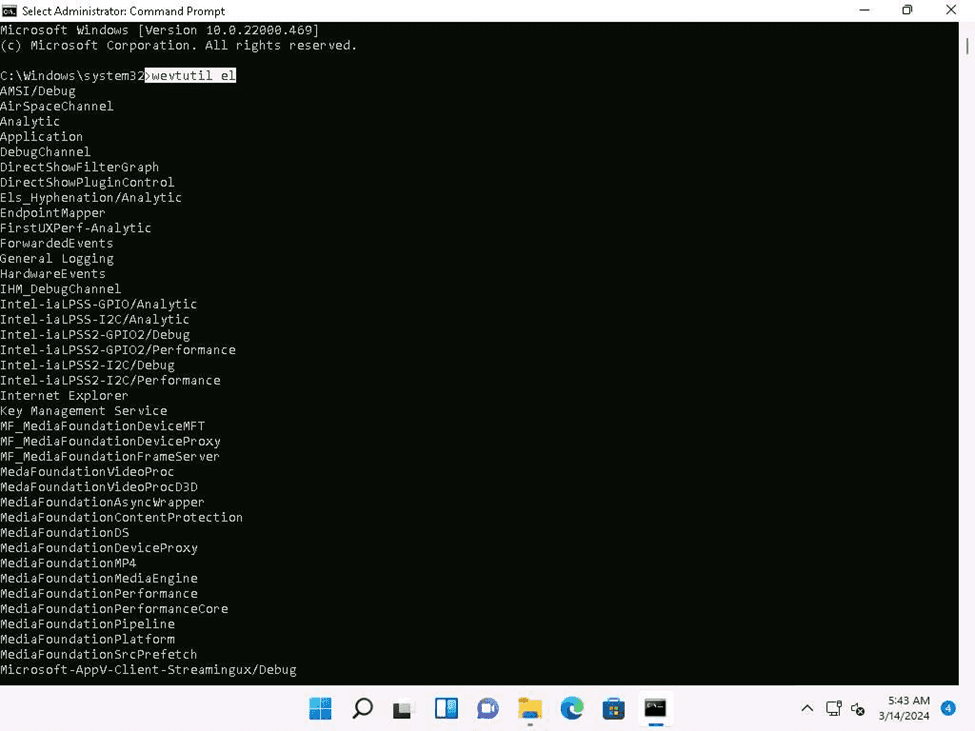
Step 3: Clear Logs using Event Viewer
The selected logs were cleared using the built-in Windows Event Viewer utility. This demonstrated how logs can be removed from the Windows operating system.
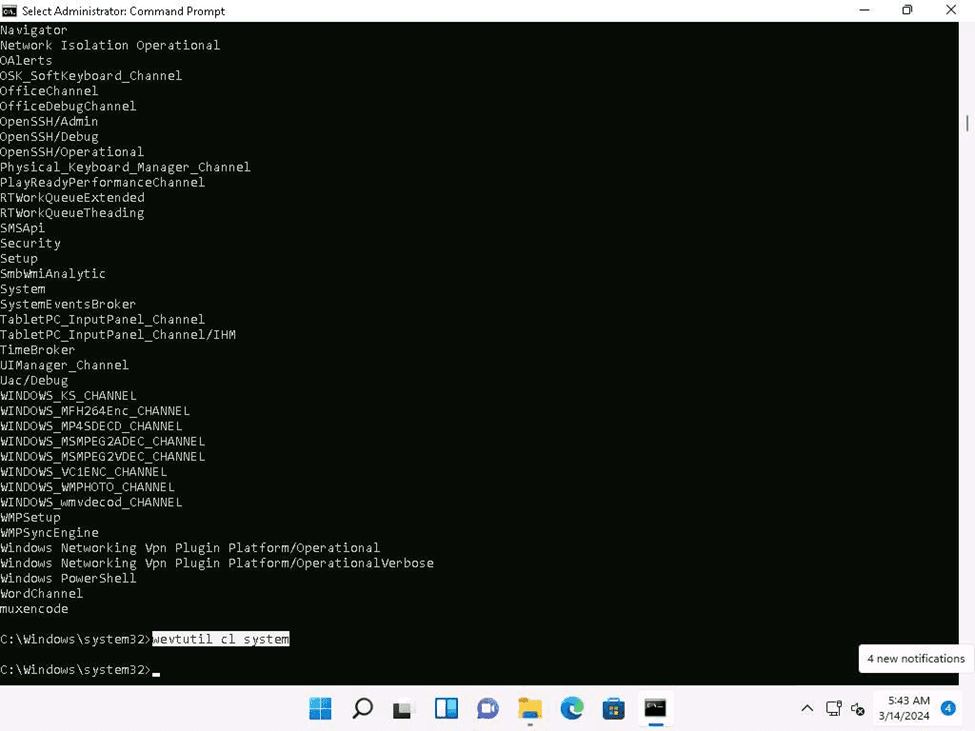
Step 4: Clear Logs using Command-Line Utilities
Administrative utilities such as Command Prompt or PowerShell were used to manage event logs. Example administrative commands were executed to interact with system logs.
Step 5: Verify Log Removal
After clearing the logs, verification was performed to confirm whether the event entries had been removed successfully.
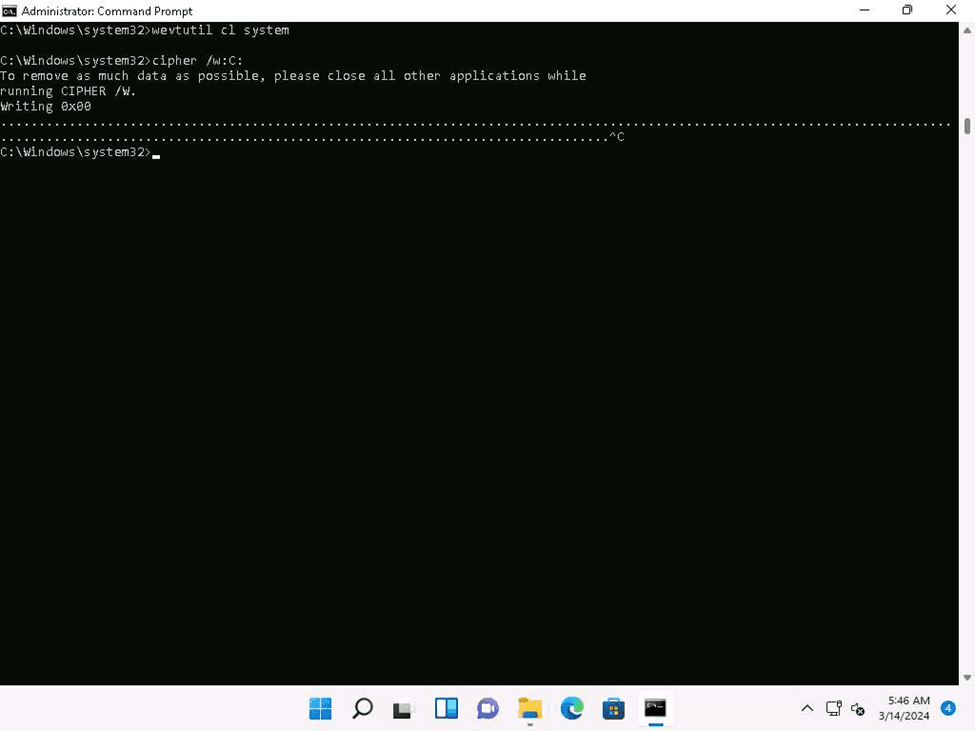
Clearing Linux Machine Logs using the BASH Shell
Step 1: Open Linux Terminal
The Linux terminal was opened in the target environment.
Step 2: Locate Log Files
Common Linux log directories were reviewed to identify stored log files.
Step 3: View Existing Logs
The contents of selected log files were reviewed before clearing them.
Step 4: Clear Logs using BASH Shell
BASH shell commands were used to clear the contents of selected log files. This demonstrated how logs can be modified or erased in Linux environments.
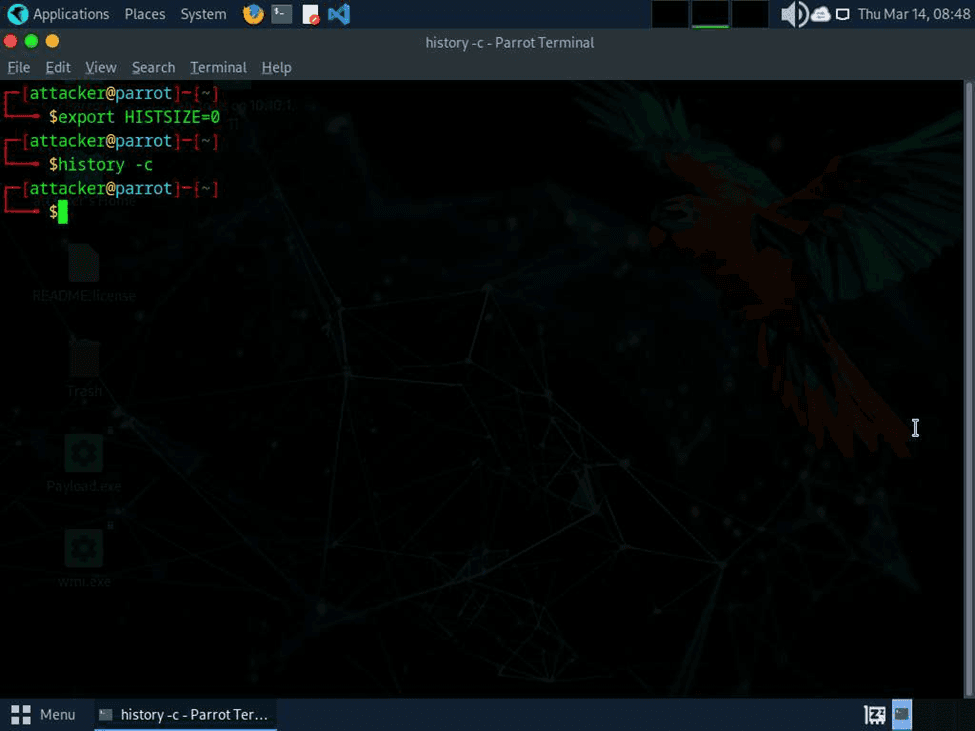
Step 5: Verify Cleared Logs
After clearing the logs, verification was performed to ensure that the log contents had been removed.

Observations
During the lab activity, the following observations were made:
Windows Event Viewer stores logs under multiple categories.
Administrative privileges are generally required to clear logs.
Linux log files are commonly stored inside the /var/log/ directory.
Clearing logs can remove traces of user activities and system events.
Log monitoring and centralized logging are important defensive measures.
Improper log protection may make incident investigation difficult.
This lab demonstrated how attackers may attempt to cover their tracks after compromising a system.
Challenges Faced
Administrative permissions were required for log management.
Certain logs were protected by system policies.
Understanding different Windows log categories required additional study.
Linux file permissions restricted access to some log files.
Care had to be taken to avoid modifying important system files accidentally.
Conclusion
This work enhanced understanding of log manipulation and track-covering techniques used to evade detection in Windows and Linux environments. It also highlighted the importance of system auditing, monitoring, incident response, and digital forensics in building stronger defensive security practices.
